
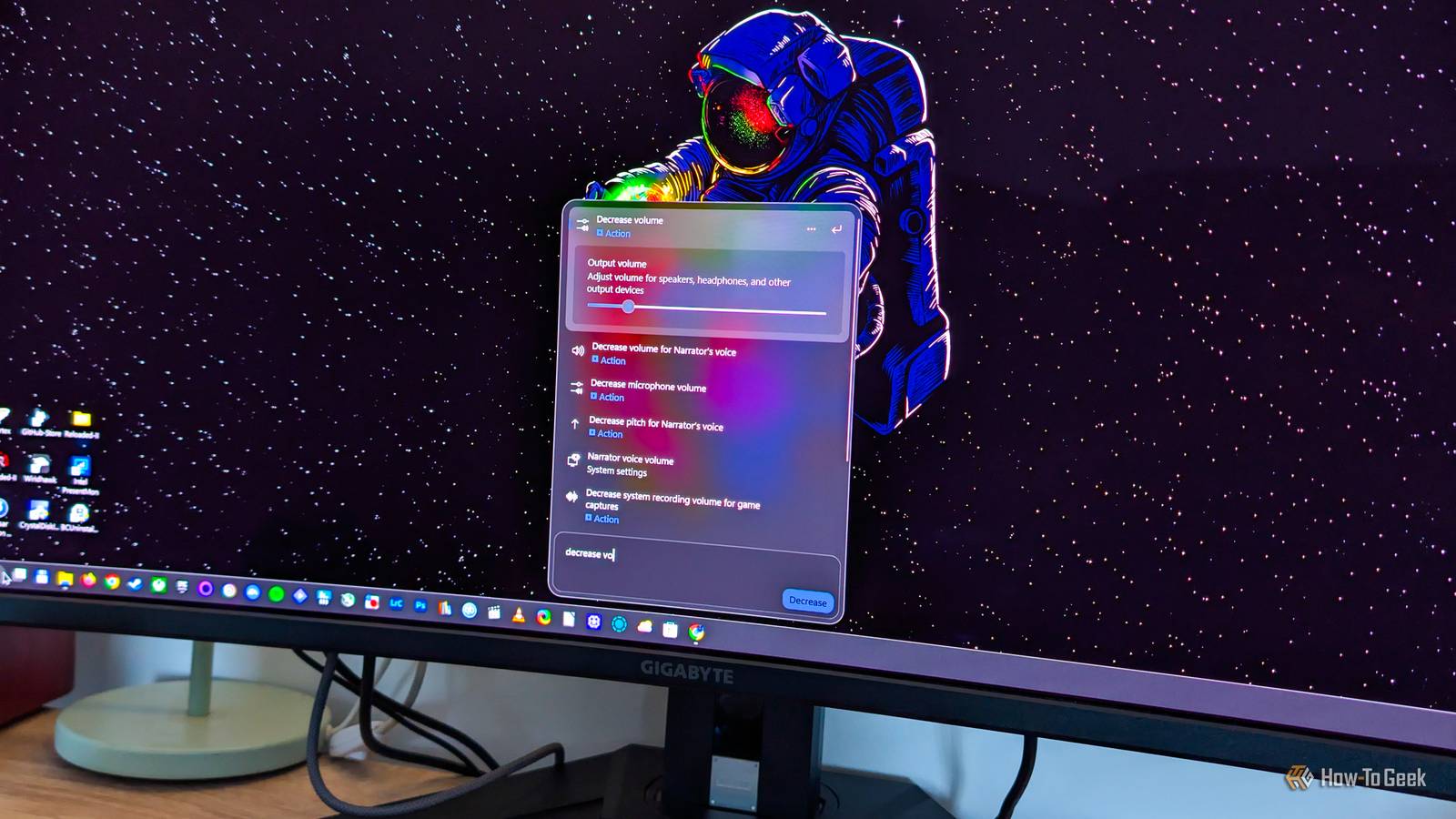
Microsoft is rolling out a rebuilt version of Windows 11 Search that replaces its web-based interface with a native one, part of a wider push to make the operating system faster, lighter and less irritating to use.
The overhaul arrives alongside new settings that let users strip web and Microsoft Store results out of local searches. But Microsoft has also confirmed that Copilot will be integrated into Search, a move that is likely to divide users who have welcomed the cleanup.
Users Can Now Switch Off Web and Store Results
One of the most common complaints about Windows Search has been its habit of mixing online results into searches of a local PC. Previously, some users relied on a PowerShell command to remove web results, but that workaround could not eliminate Microsoft Store suggestions.
Microsoft pledged to address this at a Windows Insider meetup in early June 2026, promising an option in Windows Settings. The feature began reaching non-Insider users in stages from late August.
The controls sit under Settings, then Privacy and security, then Search, where separate toggles for Web Searches and Microsoft Store can be turned off.
A Native Interface Replaces the Web Engine
The bigger change is the new Search interface Microsoft announced in early October. The previous design was built on WebView2, which runs the Microsoft Edge web engine behind the scenes. The new version is built from scratch on WinUI 3, the native framework for Windows desktop applications.
According to a hands-on report by How-To Geek, the redesigned panel appears instantly when the Search box is clicked. It is more compact by default but expands as users scroll through longer lists of results.
One limitation is that the panel opens in the center of the screen even when the taskbar is aligned to the left. Microsoft has said it is working on adapting the interface to other taskbar positions.
How to Get the Update
The new Search ships in Windows 11 update KB5132057, which began rolling out on November 19. Because it is an optional update, it installs automatically only for users who have enabled the setting to get the latest updates as soon as they are available.
On Windows 11 26H2, the update appears as the 2026-11 Preview Update with build 26300.10075, while systems on 25H2 will show build 26200.10075. Microsoft is enabling the feature gradually, so installing the update does not guarantee immediate access.
Faster Results and New Inline Actions
Early testing suggests the new Search is notably quick, returns accurate matches despite multiple typos, and surfaces relevant results after only a few letters are typed. In How-To Geek's testing, a frequently played game appeared near the top of results after just two characters, ahead of many files and settings with similar names.
Microsoft has also added inline actions, which let users change settings directly from Search. Supported actions include adjusting volume, toggling Night Light and Bluetooth, locking the PC, and changing mouse pointer size and speed.
The feature still feels unfinished, however. Actions only appear when users type specific phrases, such as increase volume or decrease volume, while a more general query like adjust volume simply links to the Sound settings page.
Copilot Is Coming to Search
Alongside the redesign, Microsoft plans to bring Copilot into Windows Search, with a rollout expected to begin later this year. No exact date has been given.
The company says the integration will be opt-in. That mirrors an earlier experiment called Ask Copilot, tested in Windows Insider builds, which allowed users to swap the taskbar Search box for a Copilot box.
Not everyone is enthusiastic. How-To Geek writer Goran Damnjanovic, who praised the new Search, was blunt about the AI addition: "I simply don't want Copilot on my PC." He raised concerns about an assistant potentially scanning personal files or struggling with basic tasks.
What the Overhaul Signals for Windows Users
The Search rebuild shows Microsoft responding to long-standing user feedback, moving from a web-based component to native code and giving people more control over what appears in results. For many users, those changes address real everyday frustrations.
At the same time, the planned Copilot integration highlights the tension between Microsoft's AI ambitions and users who want a lean, predictable operating system. Whether the company keeps Copilot in Search genuinely optional will likely shape how the broader redesign is received.
Source: How-To Geek