Modern workplaces are changing rapidly. Artificial intelligence, hybrid work, and smart office technology are transforming how teams collaborate.
However, keeping meeting rooms updated can be challenging for IT teams. New software, video conferencing platforms, and workplace policies often require additional equipment or technical upgrades.
Frequent changes can increase costs, create operational challenges, and disrupt daily meetings.
Forward-thinking companies are taking a different approach. Instead of constantly replacing outdated equipment, they are investing in flexible meeting room technology that can adapt to future needs.
Future-proofing meeting rooms means building intelligent, connected, and sustainable spaces that support collaboration today and tomorrow.
Here are eight ways businesses can prepare their meeting rooms for the future.
1. Invest in Meeting Room Devices With Advanced Processing Power
Modern meeting rooms need more than basic cameras and microphones. They require powerful hardware that can support advanced collaboration tools and AI-powered features.
Devices with dedicated processing capabilities can handle demanding workloads directly on the device. This can reduce the need for additional computers or external servers.
For example, the Logitech Rally Bar 2 uses Qualcomm Dragonwing processing technology to support advanced video conferencing and AI workloads.
Choosing capable hardware helps businesses prepare for evolving software requirements. It can also reduce the need for frequent equipment replacements.
When evaluating meeting room devices, IT teams should consider processing power, software compatibility, security, and long-term upgrade options.
2. Improve Hybrid Meetings With Intelligent Camera Features
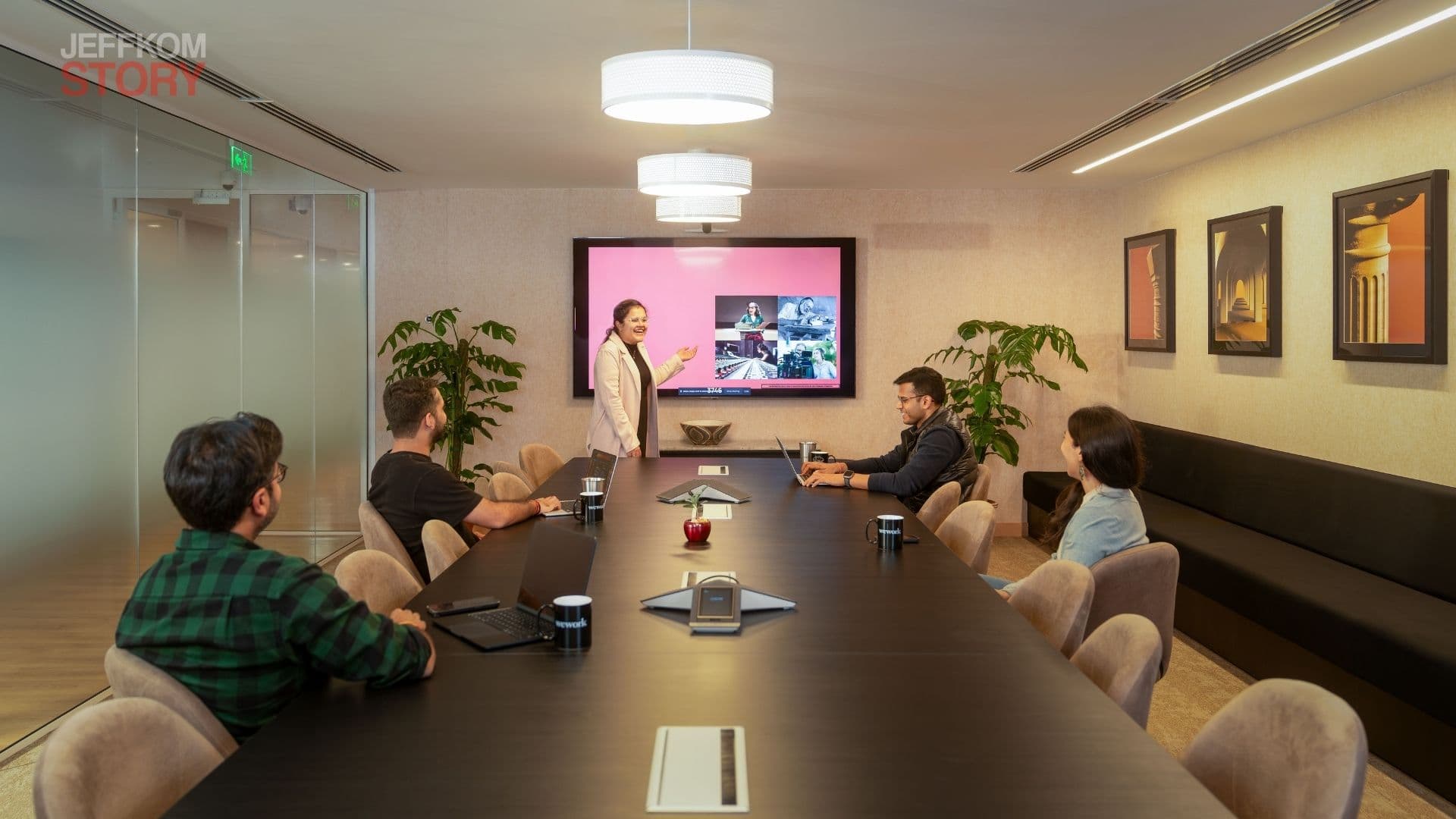
Hybrid meetings are now an important part of modern workplace collaboration. However, remote participants can struggle to follow conversations when cameras show only a distant view of the meeting room.
Intelligent camera technology can improve this experience.
Features such as automatic speaker tracking, dynamic framing, and individual video views help remote employees see participants more clearly.
These capabilities are particularly useful during brainstorming sessions, presentations, and collaborative discussions.
For example, automatic framing can follow a speaker as they move around the room or approach a whiteboard.
A better camera experience helps remote participants feel more involved. It also encourages smoother communication between employees working in the office and those joining remotely.
Businesses should prioritize conferencing equipment that supports flexible camera views and natural meeting interactions.
3. Monitor Meeting Room Environmental Conditions
Employee comfort can influence concentration, productivity, and the overall meeting experience.
Poor ventilation, uncomfortable temperatures, and indoor air quality problems can make long meetings difficult.
Smart environmental monitoring can help businesses identify these issues.
Connected sensors can track factors such as carbon dioxide levels, temperature, and particulate matter. Facilities teams can use this information to identify rooms that need better ventilation or climate adjustments.
These insights can help organizations maintain more comfortable working environments.
Environmental monitoring also supports better workplace management. Instead of relying only on employee complaints, facilities teams can use actual data to identify potential problems.
Companies should consider integrating environmental sensors into their broader workplace technology strategy.
4. Automate Meeting Rooms With Occupancy Detection
Unused meeting rooms can create unnecessary scheduling problems.
A room may remain booked even when the meeting organizer does not arrive. This prevents other employees from using the available space.
According to VergeSense, 37% of scheduled meetings globally are ghosted, meaning no participants show up.
Occupancy detection technology can help address this challenge.
Sensors can identify whether a meeting room is being used. When integrated with compatible scheduling systems, they can help automatically release rooms that remain unoccupied.
This makes it easier for employees to find available spaces. It also helps businesses understand how effectively their offices are being used.
Automated room management can reduce wasted space and improve the overall meeting experience.
Before implementing these systems, businesses should review sensor accuracy, scheduling integrations, and employee privacy requirements.
5. Involve IT Teams Before Designing Meeting Spaces
Meeting room technology works best when it is considered during the initial planning stage.
However, some organizations design office layouts before consulting their IT and audiovisual teams. This can create problems when equipment must fit into spaces that were not designed for it.
According to Logitech's The Workplace Equation 2026 report, only 24% of organizations involve IT and AV teams before space planning begins.
Early collaboration can help prevent these challenges.
IT teams understand network requirements, device compatibility, security, and conferencing systems. Facilities teams understand room layouts, electrical requirements, and building infrastructure.
Workplace experience teams can contribute insights into employee needs and collaboration habits.
Bringing these groups together early helps organizations design rooms that support both technology and people.
This approach can reduce expensive retrofits and make future upgrades easier.
6. Manage Meeting Room Devices From One Central Dashboard
Managing meeting room technology becomes more complicated as companies expand across multiple floors, offices, and locations.
Without centralized management, IT teams may need to inspect devices individually to identify problems or install updates.
This process consumes time and increases maintenance costs.
Centralized device management helps simplify these tasks.
Platforms such as Logitech Sync allow IT teams to monitor compatible devices and manage supported updates from a central interface.
Depending on the available integrations and equipment, administrators can check device health, identify technical issues, and monitor certain room conditions.
Remote management can help teams resolve problems before they interrupt important meetings.
It also improves visibility across an organization's meeting room infrastructure.
When selecting a management platform, businesses should evaluate security controls, reporting features, compatibility, and the ability to manage devices across different locations.
7. Use Meeting Room Data to Improve Office Space
Future-proofing meeting rooms requires more than purchasing the latest technology. Companies also need to understand how employees use their spaces.
Hybrid work schedules can make traditional office planning less reliable. Some meeting rooms may remain underused, while others are frequently unavailable.
Occupancy sensors and room utilization analytics can provide valuable insights.
Businesses can use this information to identify:
- Rooms that are frequently occupied or underused.
- Meeting spaces that need additional equipment.
- Areas that could support different types of collaboration.
- Opportunities to improve room capacity and scheduling.
- Office layouts that no longer match employee needs.
These insights help IT and facilities teams make informed decisions.
For example, a company may discover that several large conference rooms are rarely used. It could then consider converting some of that space into smaller collaboration rooms.
Data-driven planning helps organizations use existing office space more effectively while avoiding unnecessary investments.
8. Choose Sustainable and Upgradeable Equipment
Sustainability is becoming an important consideration in workplace technology decisions.
Frequently replacing equipment can increase electronic waste and raise the long-term cost of managing office infrastructure.
Businesses can reduce these challenges by choosing durable devices with practical upgrade and repair options.
Sustainable equipment may include recycled materials, modular construction, and components designed for easier recycling.
The Logitech Rally Bar 2, for example, incorporates post-consumer recycled plastics and a durable aluminum unibody design.
Organizations should also evaluate product lifespan, energy consumption, repairability, and manufacturer support.
Selecting equipment that lasts longer and is easier to maintain can help reduce waste and improve long-term value.
Sustainability should be part of the purchasing process rather than an afterthought.
Why Future-Proof Meeting Rooms Matter for Businesses
Future-ready meeting rooms can help organizations improve collaboration, reduce maintenance challenges, and make better use of office space.
The benefits extend beyond video conferencing.
Lower long-term costs: Flexible equipment can reduce the need for frequent replacements and expensive retrofits.
Better employee experiences: Intelligent cameras, reliable audio, and comfortable environments can improve meetings for in-office and remote participants.
Simpler IT management: Centralized monitoring helps IT teams manage devices across multiple rooms and locations.
Smarter space planning: Occupancy data helps businesses understand how meeting rooms are actually used.
Improved sustainability: Durable and repairable equipment can reduce electronic waste and extend product lifecycles.
These advantages make future-proofing a strategic investment rather than simply another technology upgrade.
Conclusion: Build Meeting Rooms That Are Ready for Tomorrow
Workplace technology will continue to evolve. AI-powered collaboration, hybrid work, and intelligent office systems will create new demands for meeting room infrastructure.
Businesses that rely on constant equipment replacements may face rising costs and unnecessary disruption.
A better approach is to invest in adaptable hardware, intelligent camera systems, environmental monitoring, occupancy detection, and centralized device management.
Equally important, companies should involve IT teams early, use real workplace data, and prioritize sustainable equipment.
The goal is not to predict every future technology. It is to build meeting rooms that can adapt when new requirements emerge.
Start future-proofing your meeting rooms today. Evaluate your current equipment, identify technology gaps, and develop a flexible upgrade plan that supports your employees and business goals for years to come.