Microsoft has made OneDrive Folder Backup a default part of setting up Windows 11 version 25H2. Users who sign in with a Microsoft account now have the feature switched on automatically, without being asked for permission first.
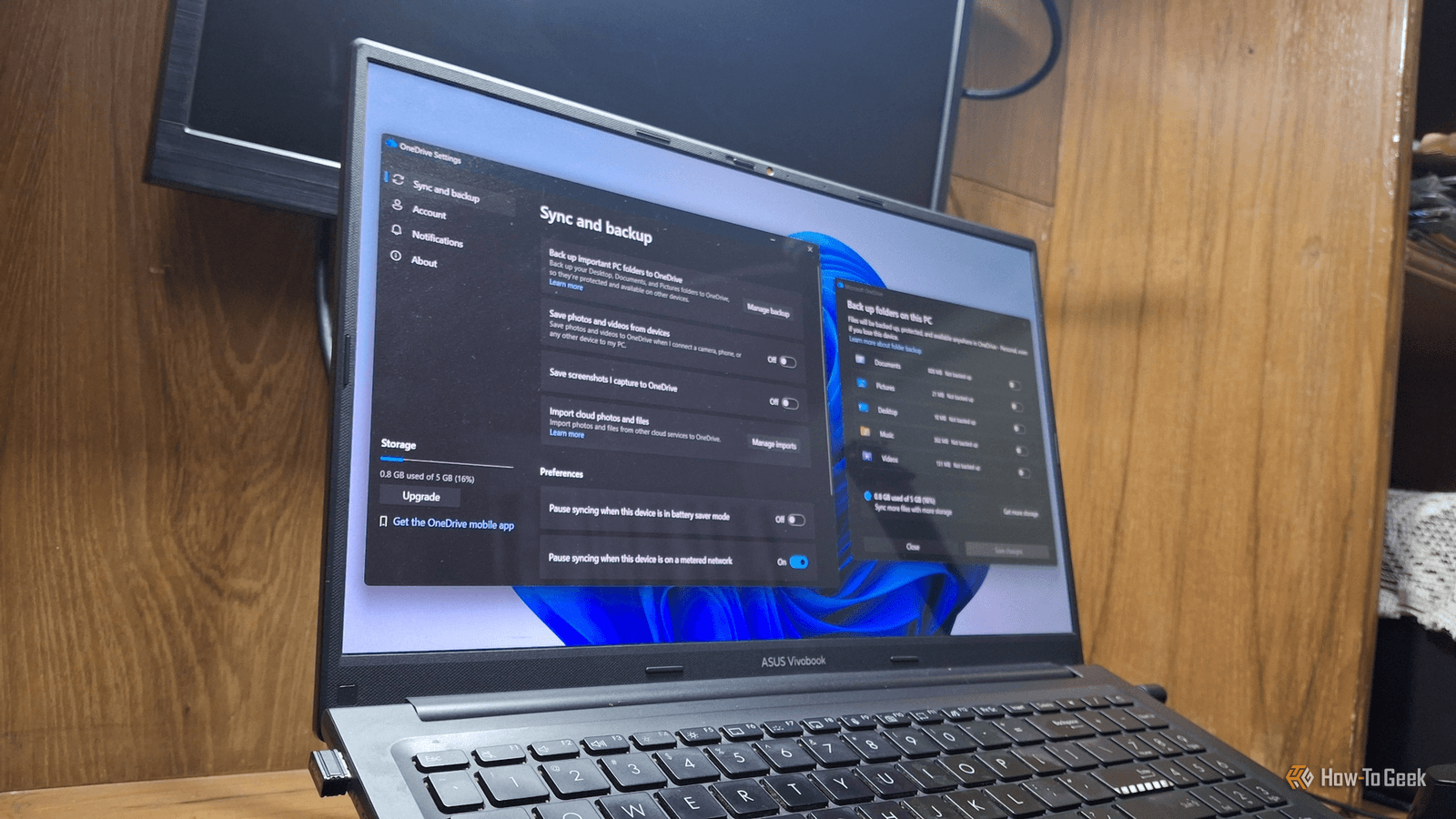
The change means that the Desktop, Documents and Pictures folders on a new installation are quietly routed into OneDrive and synced with the cloud. According to a report by How-To Geek, the move can eat into limited free storage and adds background activity that may weigh on system performance.
What Folder Backup Actually Does
Folder Backup relocates three of the most commonly used Windows folders, Desktop, Documents and Pictures, inside the OneDrive directory. From there, OneDrive keeps them in sync with the user's cloud storage, so anything saved to those locations is uploaded.
Microsoft presents the feature as a safeguard. Files in those folders are kept consistent across a user's devices, and if a computer is lost or damaged, the contents remain available in the cloud.
Earlier versions of Windows prompted users before enabling the backup. In 25H2, that step is gone for anyone signing in with a Microsoft account during setup.
The Storage Squeeze and the Upgrade Nudge
The free OneDrive tier includes only 5GB of space, which can fill quickly once photos and videos start syncing. The How-To Geek writer found that their own Documents folder alone took up more than 800MB, a larger share than expected.
Users who run out of room are pointed toward paid Microsoft 365 plans. The Basic subscription offers 100GB, while Personal provides 1TB.
The report suggests that enabling the feature by default may serve as a subtle push toward those subscriptions, though Microsoft has not said that is its intent.
How to Check and Turn It Off
Users can confirm whether the feature is active by right-clicking the Documents folder and opening Properties. If the backup is on, the General tab shows a OneDrive path under Location; otherwise the path appears in a separate Location tab.
Disabling the backup is fairly simple, but there are pitfalls. Files stored only in the cloud need to be marked Always keep on this device before OneDrive can move them back to the PC.
The final dialog also deserves attention. It defaults to Only in OneDrive, an option Microsoft confirms removes the files from the computer. Turning off Folder Backup also leaves OneDrive installed, so users who want to go further must unlink the app and stop it from launching at startup.
A Performance Tip That Disappeared
In 2025, Microsoft's own advice for speeding up a sluggish PC included pausing OneDrive. Neowin and TechRadar reported at the time that the Microsoft Support account on X shared an article acknowledging that OneDrive syncing can slow a device down.
That recommendation is no longer there. Microsoft's current performance guide lists 12 fixes, and none of them refers to OneDrive. The company has not offered an explanation for removing the tip.
Face Grouping Adds a Privacy Dimension
In July 2026, a OneDrive update brought a new OneDrive Photos app to Windows 11 PCs, highlighting a People feature that groups images by the faces they contain. Microsoft's support documentation states that the feature collects, uses and stores facial scans and biometric data for that purpose.
Microsoft told Windows Latest in August 2026 that face grouping runs in the cloud and applies only to photos stored in OneDrive, leaving local files untouched. With Folder Backup automatically sending the Pictures folder to OneDrive, however, the line between local and cloud photos becomes less clear for many users.
Microsoft says it does not use facial data to train its broader AI models and deletes face grouping data within 30 days of the feature being switched off.
What the Change Means for Windows Users
Folder Backup is not without value, particularly for people who want automatic protection against losing a device. Turning it off is also unlikely to make a PC dramatically faster on its own.
The broader issue is consent and control. As Microsoft folds more cloud services into default Windows setup, users and IT administrators would be wise to review what is enabled on new machines, decide which features they actually need, and disable the rest to conserve storage, bandwidth and privacy.
Source: How-To Geek